Meta Catalog Ads: How Ad Layer Fixes Meta's Creative Limits (and Now Scales Them With One Feed)

If you have ever built a Catalog Ads inside Meta Ads Manager, you already know the limitations. Your products end up looking exactly like everything else on Facebook and Instagram. Just the product and nothing else in the image. Cool… But wait, there is no branding, no layout, no personality.
We know it is not how you would like to have it. Meta built Catalog Ads to be fast and automated, they did not go after flexibility or creative freedom. For teams who care about how their brand actually looks in the feed, fast and automated often is not enough on its own.
We hear this from clients constantly, especially the ones running large product catalogs across multiple markets. Such advertisers want the reach and automation that catalog ads give them, but they also want their ads to look like something they'd actually put their name on. So we built a way to get both.
Why Do Meta Catalog Ads Look So Plain?
Good question… Meta's catalog format pulls straight from your product feed: image, title, price. It's built mostly for scale, and Ads Manager gives you almost no room to add branding, backgrounds, custom text, or layout. Every advertiser using the same feed structure ends up with ads that look very much the same as their competitors.
For a small catalog, that might be just fine. For a larger brand running thousands of SKUs across several countries, it's a real problem, since plain product shots don't build brand recognition and rarely convert as well as ads that someone with talent spent a bit of time designing.
Can I Edit the Design of My Catalog Ads?
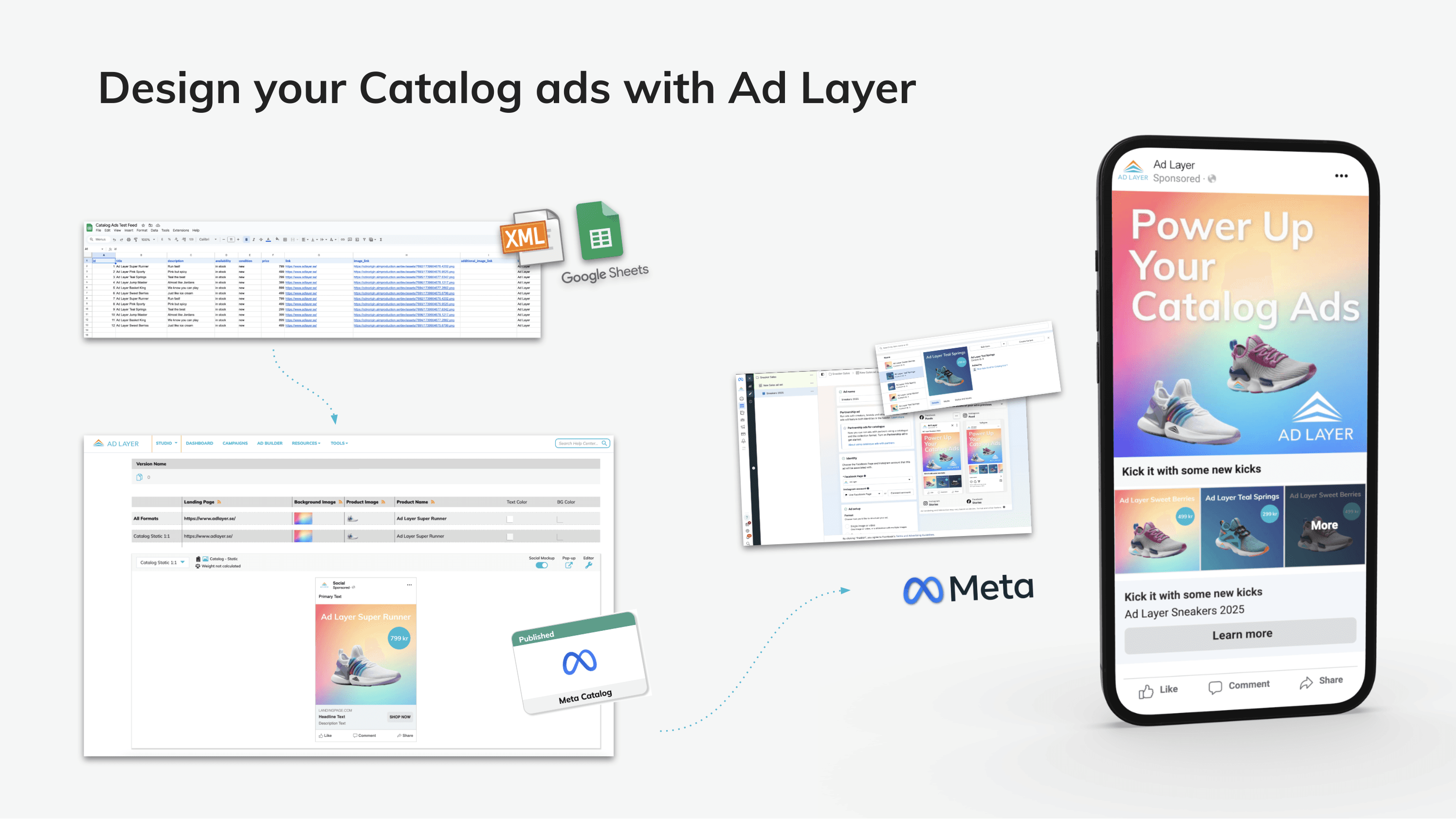
Not much in Meta Ads Manager, and this is exactly where our Catalog Ads tool comes in. Connect your product feed to Ad Layer, and instead of publishing bare product images straight to Meta, you design a template first, using the same Ad Builder our clients already use for display and social. Add your own backgrounds, logos, text, and pricing layout, and make your ads look like your brand.
Once your design is set, it applies automatically across your entire catalog. Thousands of products get the same consistent look, built to match your brand instead of Meta's default template, and from there you just connect it to Meta Ads Manager, and you are ready to run.
We all know that ads that look better often perform better too. It's a simple equation, but a lot of catalog advertisers never get the chance to test it, because the tools they're using never gave them the option in the first place.
How Does the Publishing of the Improved Meta Catalog Feed Work?
Once your catalog is designed, you need a way to get it into Meta. We offer two publishing methods, and which one you use depends on how your team works.
Our standard Catalog Ads publishing method creates a dedicated feed for your ad, including all its versions, and that feed you then connect to Business Manager. It's clean and simple.
Catalog Ads One Feed Publishing is the newer one, and we built it after listening to our larger advertisers, the teams running constant changes across multiple catalogs and dozens of ad versions at once. Setting up a new feed connection every time they launched a new set of ads or catalog variations was not optimal.
With One Feed Publishing, you connect a single feed to Business Manager once. After that, every new ad or campaign you build in Ad Layer can publish straight into that same feed, whether it's a new seasonal push, a redesigned catalog for a different market, or a fresh batch of product versions. There's no new setup to do and no extra feed to manage on the Meta side. Neat.
We have built the One Feed solution specifically for high-volume advertisers managing several catalogs and versioning constantly across markets and campaigns.
What This Means for Your Team?
Fewer feeds to manage means fewer places for something to go wrong, and your Meta setup stays clean no matter how many campaigns are running behind it. Because the creative side is handled in Ad Layer's Ad Builder, none of this comes at the cost of design freedom.
Whether you're running one catalog or twenty, publishing a campaign once a quarter or creating new versions every week, Ad Layer's Catalog Ads tools are built to match how your team’s needs. Design once, apply it across your full product range, and publish it your way, either through a dedicated feed per ad or through a single connected feed that carries everything you throw at it, all without the CPM fees or per-asset charges that pile up elsewhere.
Keen to learn more? Let us know, and we can show you how it works!
Ad Layer is created by a team of ad tech professionals who have been working since '97 to improve production and distribution for all digital assets.
They built this system to make production easier for them, now they are bringing it to you.
Ad Layer is a product made by Essential Marketing Methods Nordic AB
Platform
Social